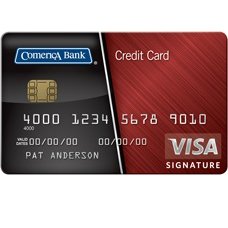
Welcome to the application guide for the Comerica Visa Bonus Rewards Credit Card. On this page you will find a helpful guide that we have created, designed to eliminate the hassles and hurdles that can often be associated with online credit card applications. Just to make your life easier, we have created a step-by-step guide that will take away all of the mystery of the online application and get you to the finish line as quickly and painlessly as possible. Simply scroll down the page and you will find our application guide for the Comerica Visa Bonus Rewards Credit Card.
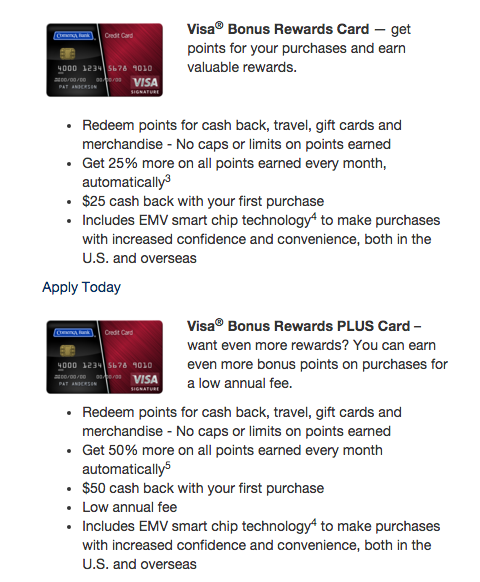
If you are having difficulty deciding between the two similar Comerica Visa Bonus Rewards Credit Cards use the image below to compare and contrast their benefits.
It is important that all of our readers take a moment to read the online privacy policy if they have not done so already. Doing so will inform you of how exactly your personal information is going to be protected throughout the application process.
Requirements
Make sure you meet the following requirements before beginning the online application process:
- Be at least 18 years of age or older
- Be a resident of the United States of America
- Have a valid Social Security Number (SSN)
How to Apply
Step 1: Your first step is to navigate to the application homepage, pictured below.

Step 2: Click the Apply Today link underneath the Comerica Visa Bonus Rewards Credit Card you wish to apply for.

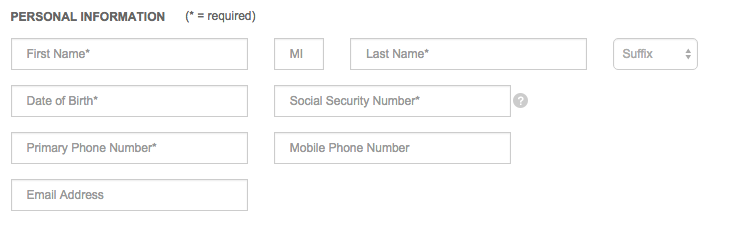
Step 3: Enter the following personal information in the blank spaces provided:
- First and last name
- Date of birth
- Social security number
- Primary phone number
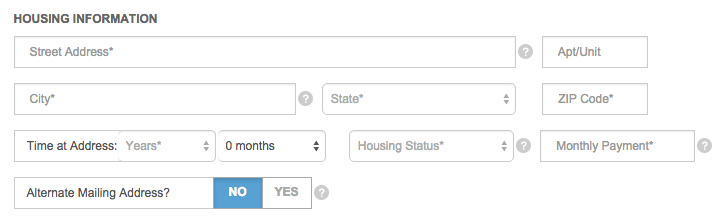
Step 4: Enter the following housing information in the blank spaces provided:
- Street address
- City
- State
- Zip code
- Time at address (years/months)
- Housing status
- Monthly payment
- Whether you have an alternate mailing address
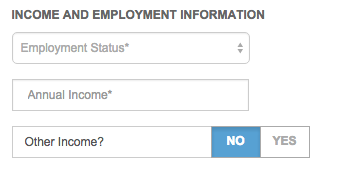
Step 5: Enter the following income and employment information:
- Employment status
- Annual income
- Whether you have other income
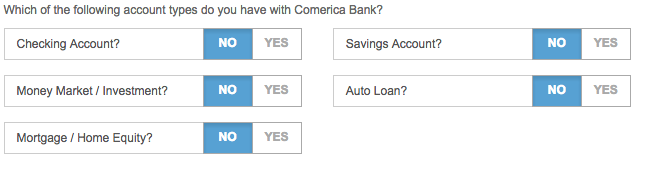
Step 6: Designate which account types you currently have with Comerica Bank.
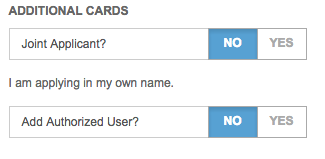
Step 7: Designate whether you wish to add an authorized user and whether you wish for your application to be a joint application.
Step 8: Review the terms and conditions and click the tickbox to consent to them.

Step 9: Click the SUBMIT button to complete the application process.